


Stellarium - Star Map
4.811.55K Reviews
App Specs
- Version
- 1.16.6
- Updated On
- License
- Free
- Downloads
- 10,000,000+
- Developer
- Noctua Software
- Categories
- Education
- Platform
- Android, iOS
Screenshots
 Analysis by AppCompare
I’ve found that a sky map is most useful when it answers a question I have right now: What is that bright point above the rooftops, and will it still be there later? Stellarium Mobile - Star Map turns that kind of curiosity into an easy starting point for exploring the sky. It is an astronomy education app from Noctua Software, and its appeal is less about replacing a telescope than helping me understand what I’m seeing with my own eyes.
What free access means in practice
The app is free to download, with optional in-app purchases ranging from $1.99 to $19.99 per item. That makes it straightforward to try before spending anything: I can see whether a phone-based sky map fits my habits before considering a purchase. I would not treat the existence of paid items as proof that a particular feature is essential; the right value depends on what I want to do and what the free experience offers me.
That distinction matters if I’m comparing it with a paper star chart or a general-purpose astronomy app. A printed chart has no purchase tiers once I own it, but it takes more effort to orient and interpret. A mobile map is quicker to consult outdoors, while optional paid content means I should decide based on my own use rather than assume I need to buy something. The sensible first step is simply to try it during an ordinary clear evening.
Getting Started with the Night Sky
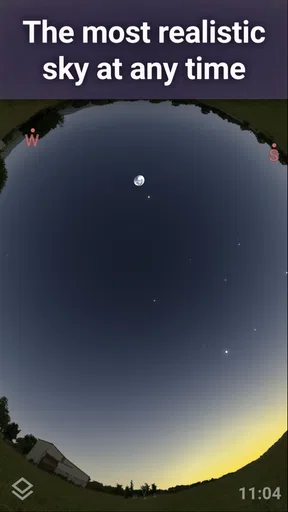
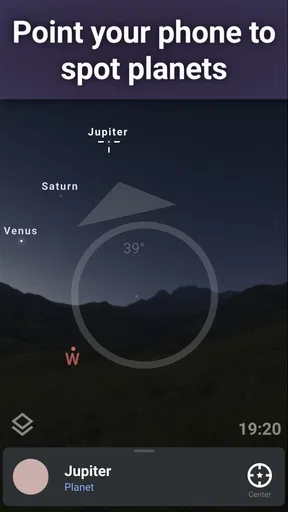
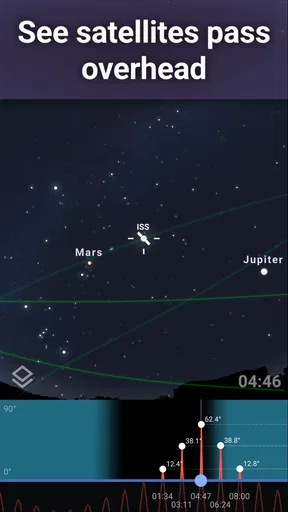
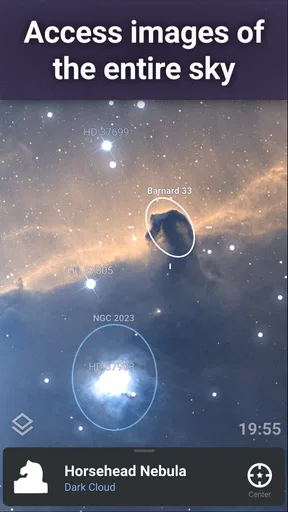
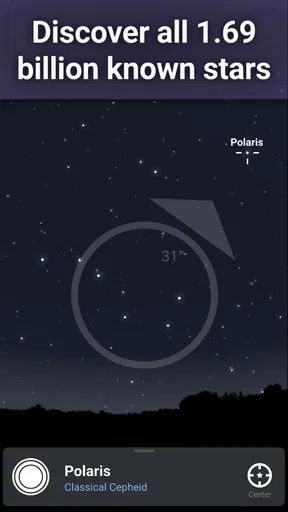
As soon as I fired up Stellarium Mobile - Star Map, I was greeted with an intuitive interface that felt welcoming even for a newbie like me. The app uses your phone’s sensors and GPS to show a real-time sky map of your location. It's super cool to just point your device at the sky and have it identify stars, constellations, and even satellites. No more guessing what that bright star is. Spoiler: it's probably Jupiter!
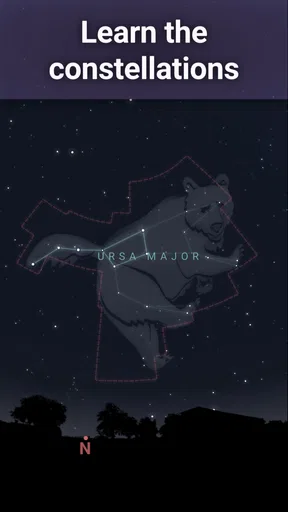
What I love is that everything is rendered beautifully. The stars twinkle, the planets shine, and the constellations are illustrated with lines connecting them, making it easier to spot them in the actual sky. It’s almost like magic, seeing the sky transform into a beautiful, educational experience right in front of you.
Value beyond a quick identification
The biggest payoff for me is the bridge between looking at a screen and then looking back up. Instead of leaving the app open and treating it as a picture, I use it to pick one object, learn its name, and then find it unaided. That small change makes the map feel like a learning tool rather than a novelty. If the phone’s location or orientation is slightly off, I also treat the display as a guide to the general area, not as a substitute for checking the sky itself.
For a practical routine, I can check the map indoors first, choose a constellation or planet to look for, then step outside and use the phone briefly to get oriented. Lowering screen brightness and switching to night mode before heading out helps avoid repeatedly adapting from a bright display to darkness. This is a useful trade-off: a phone makes orientation easier, but its screen can interfere with the very dark-sky view I’m trying to enjoy.
Worth Reading Before You Choose

Flipboard Shows What News Apps Must Do Beyond the Feed

Switching to Android Auto Means Rethinking Your Driving Routine

Google Calendar Makes a Crowded Week Easier to Manage

Ludo King Makes the Most of the Minutes Between Plans

Baby Panda World Brings Quick Play to Modern Phones, but Its Game Library Feels Busy

ESPN’s Live Game View Makes Following Close Games Easier
Diving Deeper into Space
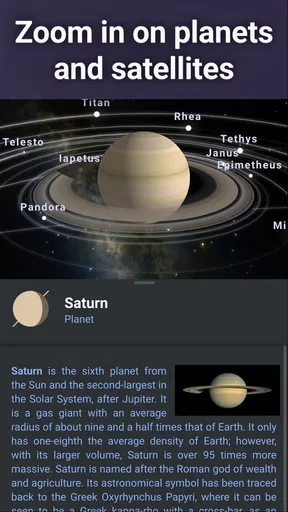
Once I got comfortable with the basics, I ventured deeper into the app’s features. There’s a treasure trove of information on celestial bodies. Curious about a star? Just tap on it. You'll get details like its distance from Earth, its magnitude, and even historical facts. It's like having an astronomy textbook, but way more fun.
One feature that really stands out is the ability to fast-forward time. I found myself endlessly entertained by watching how the sky changes over hours and days. It’s fascinating to see the moon’s phases shift and planets move along their orbits. And if you’re like me, always missing those rare celestial events, the app has got your back with notifications so you never miss a meteor shower or a lunar eclipse.
Useful when plans and weather change
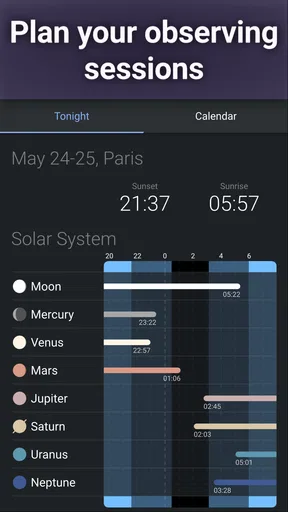
A time-shifted sky is handy even when I’m not planning a formal observing session. If clouds spoil an evening, I can use the time controls to explore what the sky is expected to look like later, or to understand how a planet’s position changes across the night. It also makes a good indoor activity: I can investigate an object first and return to the real sky when conditions improve. That is a different kind of value from a simple “what am I looking at?” lookup.
I would still keep expectations grounded. A map can show where to look, but it cannot make an object visible through clouds, buildings, or bright city lighting. Nor does learning a name guarantee that a faint object will be easy to pick out without optical equipment. For casual observers, the app is strongest as a guide to visible-sky exploration and a way to build context, not as a promise that every listed object will be observable from every spot.
Customization and Settings
The app offers a wealth of customization options. Whether you want to adjust the display settings to suit your preferences or filter out specific objects to avoid clutter, the app lets you tailor your stargazing experience. I particularly enjoyed toggling the night mode, which preserves your night vision and adds an authentic feel to the experience.
For those who are more advanced, the app provides detailed settings to adjust the level of detail in the star map, from dimming the light pollution to adjusting the atmospheric conditions. It makes you appreciate how much effort has gone into making this app not just a guide, but a comprehensive tool for both amateur and seasoned astronomers.
Small adjustments that improve a session
Customization is most useful when it solves a specific problem. If the map feels crowded, filtering objects can make it easier to focus on the few landmarks I’m trying to locate. If I’m teaching a child, leaving more labels visible can turn the screen into a prompt for questions; if I’m trying to learn a pattern myself, fewer labels may make it easier to match the drawing to the real stars. I would adjust the display before going outside rather than fiddle with several settings while trying to preserve night vision.
There is also a real trade-off in making the display look more like a dark sky. Night mode can help, but a glowing phone is still a glowing phone, and the map’s visual presentation is not the sky itself. I use it in short checks, then put the device away for a minute or two. That habit makes the app more useful to me than staring at it continuously.
Educational and Fun for All Ages
Stellarium Mobile isn’t just for adults. I found it to be an excellent educational tool for kids as well. With the app, learning about the night sky becomes an interactive game. The app encourages curiosity, and with its easy-to-use interface, kids can explore and learn at their own pace.
It’s perfect for family stargazing nights. You can easily turn a backyard hangout into an educational adventure under the stars. And for those eager to delve into mythology, the app offers stories about the constellations, bringing a rich layer of storytelling to the experience.
Who is likely to get the most from it?
I’d recommend it to someone who often looks up but doesn’t yet know the names or patterns, to a parent who wants a hands-on way to answer children’s sky questions, and to a casual observer who likes learning at their own pace. The app’s broad appeal is reflected in its 4.8 average rating from around 297,000 ratings, alongside over 10 million installs. It is rated for everyone, so it can suit a shared family activity, though younger children will still benefit from an adult helping them connect screen labels with what they can actually see.
It is less suitable if I want a hands-free observing session, a printed reference I can use without a phone, or a specialist planning workflow as my main tool. Someone who already knows the sky may prefer a more focused resource for a narrow observing goal, while a person who simply wants a quick answer may not need to explore its deeper information. Compared with ordinary search or a basic weather app, its advantage is spatial context: it relates objects to the sky above me instead of making me assemble an answer from separate pages. A static chart, on the other hand, can be easier to consult without a lit screen.
Everyday use and a few practical questions
One realistic use is a short walk after dinner. I can notice a bright object, open the map, check what it is, and then use the nearby constellation pattern to orient myself. If I’m with friends, I can pass the phone around briefly, but I would avoid making the outing a sequence of screen checks. The most satisfying part is recognizing the object again later without needing to hold the device up.
For a first session, I’d start with the easiest visible target rather than trying to learn the whole sky at once. I’d also check the map’s orientation against a landmark, since a phone’s sensor alignment can affect how closely the screen matches what I see. If it seems inaccurate, I’d move to a more open area and reorient rather than assume the object is in the wrong place. Those simple steps reduce frustration and make the app a better teacher.
People often wonder whether they need astronomy experience or special equipment. I don’t think either is necessary to begin: the point-and-identify approach is approachable, and the app can help with naked-eye observations. A telescope or binoculars can add another layer for people who already own them, but the map itself is not a replacement for optical equipment. I’d also keep in mind that visibility depends on the real observing conditions, not just what appears on the screen.
The app is free to try, but its paid items may matter to someone who wants more than the basic experience; I’d explore first and decide whether a purchase addresses a specific need. Noctua Software’s current version is 1.15.3, and the app runs on Android 9 or later. Those details make it easier to judge device fit, while the free entry point keeps the initial decision low-risk. Its 11,000 reviews also give prospective users a substantial body of public feedback to consult alongside their own trial.
My buy-or-skip verdict
In summary, Stellarium Mobile - Star Map is more than just an app; it’s an adventure waiting to happen. Whether you’re an astronomy enthusiast or just someone who enjoys the beauty of the night sky, this app is a must-have. It’s like having a cosmic tour guide ready to answer all your sky-related curiosities at any time.
If you haven't already, give it a try. It might just ignite a newfound passion for stargazing. And who knows, the next time you look up, you might be able to impress your friends with your newfound knowledge of the cosmos!
My recommendation is to start with the free experience and see whether you actually reach for it on real evenings outside. If the map helps you connect a name to a point of light, it has already earned its place for casual learning; paying makes sense only if an optional item offers something you personally want. Skip it if you dislike using a phone while observing or need a dedicated specialist tool. For everyone else, it is an inviting way to turn a passing glance at the sky into a reason to look a little longer.
Pros
- Accurate star and planet positions.
- Night mode preserves night vision.
- User-friendly interface.
- Customizable settings.
- Offline functionality available.
Cons
- Limited features in free version.
- Occasional crashes on some devices.
- High battery usage in AR mode.
- Some features require internet.
- In-app purchases can be pricey.
FAQs for Stellarium - Star Map
What is Stellarium Mobile - Star Map and how does it work?
Stellarium Mobile - Star Map is a comprehensive astronomy app designed for both amateur and professional stargazers. It transforms your smartphone into a virtual planetarium, allowing you to explore stars, constellations, planets, and other celestial bodies. By using your device's sensors, the app can accurately display the night sky in real-time, offering an immersive stargazing experience.
Can Stellarium Mobile be used offline?
Yes, Stellarium Mobile offers offline functionality, allowing users to access a vast database of stars and celestial events without an internet connection. This feature is particularly useful in remote locations where internet access is limited, making it ideal for camping trips or night hikes. However, some features, like updates or community-driven content, may require connectivity.
What are the system requirements for Stellarium Mobile?
Stellarium Mobile requires a smartphone or tablet running on Android 5.0 or iOS 11.0 and above. The app utilizes your device's GPS, gyroscope, and compass for accurate sky mapping, so it is recommended to have these features enabled for the best experience. The app is optimized for both phones and tablets, offering a seamless user experience on different screen sizes.
Is Stellarium Mobile suitable for beginners in astronomy?
Absolutely! Stellarium Mobile is designed to cater to users of all skill levels. Beginners will appreciate its user-friendly interface and educational features, such as detailed descriptions of celestial bodies and interactive tutorials. The app helps newcomers identify stars and constellations easily, making it an excellent starting point for anyone interested in exploring the night sky.
Are there any in-app purchases or subscriptions?
Stellarium Mobile offers a free version with basic features, but for a more comprehensive experience, users can opt for the Stellarium Plus subscription. This premium version provides access to an extended database with millions of stars, enhanced observation tools, and additional educational content. The subscription model ensures continuous updates and improvements to the app.


